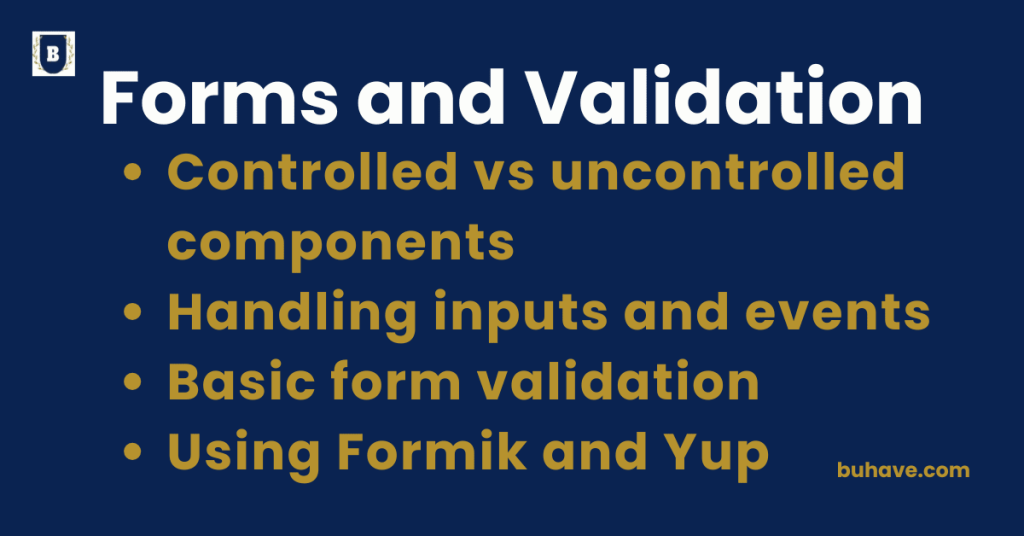
Controlled vs uncontrolled components
Controlled and uncontrolled components describe two approaches to handling form inputs and user data in React. Understanding their differences is key to managing form state effectively and building predictable, accessible user interfaces. For a broader overview, see our Core Concepts lesson.
What Are Controlled Components
Controlled components have their form data managed by React state. The component’s input values are set by state variables, and user input changes are handled via event handlers that update this state. React has full control over the form elements.
This pattern is commonly implemented using React hooks like useState, a core concept covered in our Hooks lesson.
Advantages of Controlled Components
- Enables validation and conditional logic during input
- Allows instant feedback and dynamic form behavior
- Makes it easier to enforce formatting and input constraints
- Integrates seamlessly with React’s state-driven architecture
What Are Uncontrolled Components
Uncontrolled components store their own internal state in the DOM, and React does not directly manage input values. Instead, you use references to access the form values when needed, often during form submission.
This pattern can be practical when integrating with non-React libraries, and you can learn patterns like this in our Forms and User Input course.
Advantages of Uncontrolled Components
- Simpler to implement for basic forms or quick prototypes
- Less code required since React state is not involved
- Can be useful when integrating with non-React code or libraries
Key Differences
- Controlled components keep React as the “single source of truth” for form data, while uncontrolled components rely on the DOM.
- Controlled components update state on every input change, uncontrolled ones update only on demand.
- Controlled components allow easier validation and side effects during typing.
Choosing between controlled and uncontrolled components depends on your application’s complexity, performance needs, and form control requirements. Controlled components offer more control, while uncontrolled ones offer simplicity. For broader state management patterns, see our State Management guide.
Handling inputs and Events
Handling inputs and events in React involves managing user interactions with form elements like text fields, buttons, and selects, and responding to these actions by updating component state or triggering other behaviors.
Handling Inputs
Input elements in React can be controlled or uncontrolled. In modern React apps (including React 18+), controlled inputs tie their values to component state, so what the user sees is always in sync with state. Update state with event handlers like onChange to reflect user input, and take advantage of built-in batching for responsive UI.
Common Input Events
The most frequently used event for input elements is the change event, which fires when the user modifies the input’s value. React handles this with an event handler that receives an event object containing information about the change.
You may also listen for blur events to trigger validation after the user finishes typing.
Updating State from Inputs
When handling inputs, the event handler extracts the new value from the event object and uses a state updater function to modify the component’s state. This triggers a re-render so the input’s displayed value stays in sync with the state.
Handling Other Events
Besides input changes, React supports many other events like clicks, form submissions, keyboard presses, and focus/blur. You attach event handlers to elements using camelCase event names and pass functions to handle those events.
Event Handler Functions
Event handlers receive a synthetic event object, a cross-browser wrapper around the native event, allowing consistent properties and methods. You can prevent default behaviors, stop propagation, and access event target properties within these handlers.
Best Practices
- Keep event handlers focused on a single responsibility
- Use controlled inputs to ensure React manages the data flow
- Debounce or throttle input events when handling expensive operations
- Use arrow functions or bind handlers to maintain the correct context
Properly handling inputs and events in React is fundamental for creating interactive, user-friendly interfaces that respond efficiently and predictably to user actions.
Basic form validation
Basic form validation in React involves checking user input against defined rules to ensure data correctness before submission. It helps provide timely feedback to users and prevents invalid data from being processed. In real-world apps, combine client-side validation with server-side checks for robust validation and consider debouncing validation on high-traffic inputs to improve performance.
Types of Validation
Validation can be performed on the client side using JavaScript within React components, and it typically includes checks for required fields, input formats (like email), length constraints, and value ranges.
Implementing Validation
Validation logic is often triggered on input change, on form submission, or both. You compare the input values against validation rules and update the component’s state to reflect errors or success messages.
Displaying Validation Feedback
Users should be informed of validation results through error messages or visual cues near the input fields. This improves usability and guides users to correct mistakes.
Common Validation Techniques
- Using state variables to track error messages or validation status
- Conditionally rendering error text based on validation results
- Disabling the submit button when inputs are invalid
- Using regular expressions to validate formats such as emails or phone numbers
Best Practices
- Validate inputs both on change and on form submission
- Keep validation logic modular and reusable
- Provide clear and concise error messages
- Ensure accessibility by associating error messages with inputs
Basic form validation improves data integrity and user experience by catching errors early and providing immediate feedback within React applications.
Using Formik and Yup
Formik and Yup are popular libraries used together to simplify form management and validation in React applications. Formik handles form state, submission, and input events, while Yup provides a powerful schema-based validation solution.
When building forms with hooks and state, this pattern aligns well with concepts from our Hooks lesson.
What is Formik
Formik is a React library that helps manage form state, handle input changes, track form submission, and manage validation. It reduces boilerplate code by providing hooks and components to streamline building complex forms.
What is Yup
Yup is a JavaScript schema builder for value parsing and validation. It allows you to define validation rules in a clear, declarative way using schemas, supporting complex nested objects and custom validation logic.
How Formik and Yup Work Together
Formik integrates seamlessly with Yup by allowing you to pass a Yup validation schema to handle form validation. This automates the process of validating fields on change or submit, and returns detailed error messages that Formik manages in its state.
Benefits of Using Formik and Yup
- Simplifies form state management and validation logic
- Reduces repetitive code by automating common form tasks
- Supports synchronous and asynchronous validation
- Improves maintainability and scalability of forms
- Provides built-in support for error messages and form feedback
Typical Workflow
- Define form initial values in Formik
- Create a Yup validation schema to specify rules
- Use Formik components or hooks to build form UI
- Formik validates input against Yup schema on input change or form submit
- Display validation errors and handle form submission logic
Best Practices
- Keep validation schemas modular and reusable
- Use Yup’s rich API for complex validation scenarios
- Leverage Formik’s hooks for cleaner functional components
- Test form validation logic independently from UI
Using Formik together with Yup provides a robust and efficient way to manage forms and validations in React, especially for complex forms requiring clear structure and reliable validation.
For scalable form architecture and complex validation flows, see our State Management course.