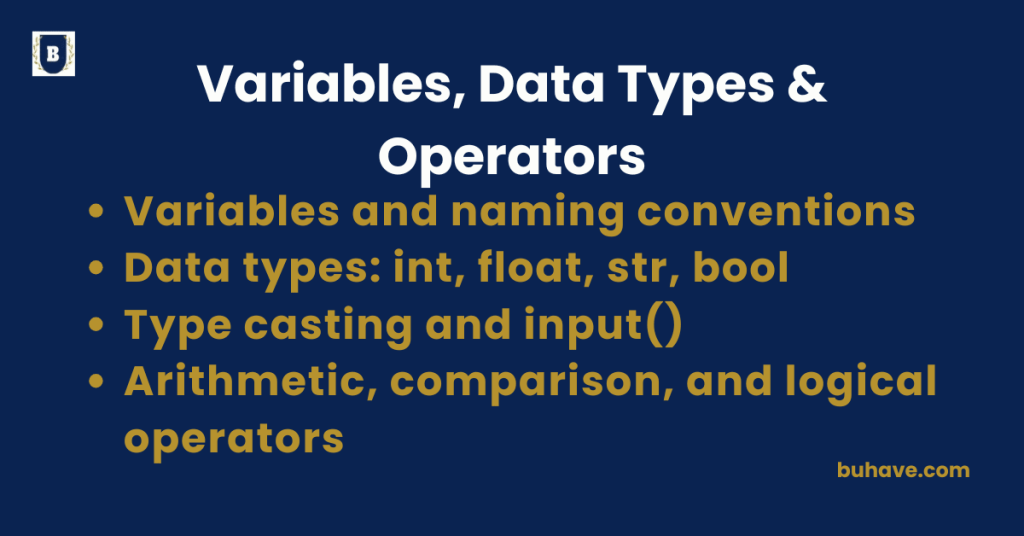
Variables and Naming Conventions
What is a Variable?
A variable is a name that stores a value. Think of it as a labeled box where you can put data and use it later in your code. For a broader overview of Python basics, see Introduction to Python. You can also deepen your skills with Working with Strings and Control Flow.
x = 5
name = “Alice”
is_logged_in = True
- You use the = symbol (assignment operator) to assign a value to a variable.
- Variables do not need a type declaration. Python figures it out automatically.
Why Use Variables?
- To store user input
- To reuse values without repeating them
- To make your code more readable and maintainable
To see variables in action within practical examples, explore Loops and Iteration and Functions for reusable code patterns.
Examples:
age = 25
greeting = “Hello”
pi = 3.14159
is_admin = False
You can also reassign values:
age = 30
Valid Variable Names
- Must start with a letter (a–z, A–Z) or underscore (_)
- Can include letters, digits (0–9), and underscores
- Case-sensitive (age and Age are different)
my_name = “Sarah”
_age = 20
score2 = 99
Invalid Variable Names
2cool = “nope” # starts with a number
user-name = “error” # contains a dash
class = “reserved” # ‘class’ is a keyword
Best Practices (PEP8 Guidelines)
| Element | Style | Example |
|---|---|---|
| Variable names | snake_case | user_name, score_total |
| Constants | ALL_CAPS | MAX_USERS = 10 |
| Avoid single letters | Unless in loops | Prefer count over c |
| Descriptive is better | Be clear | email_address > e |
Avoid These Mistakes
- Don’t name variables after built-in functions like list, str, input
input = “Hello” # Bad: overrides built-in input() function
- Don’t use spaces or special characters
user name = “Bob” # invalid
Python Keywords (Can’t be Variable Names)
Here are a few reserved keywords you can’t use as variable names:
False, True, None, if, else, elif, for, while, class, def, try, except, with, return, import, as, pass, break, continue, and, or, not, in, is
Quick Exercise:
Which of these are valid variable names?
1. user_age = 20
2. $salary = 50000
3. full name = “Amy”
4. _secret = “shhh”
5. def = “define”
Answers: 1 and 4 are valid.
Data types: int, float, str, bool
Python is a dynamically typed language, meaning you don’t need to specify the data type — Python figures it out automatically. For a broader overview, see Introduction to Python.
You can use the type() function to check the data type of any value or variable.
x = 10
print(type(x)) # <class ‘int’>
Integer (int)
- Whole numbers (positive or negative) without decimals
- Unlimited size (up to your machine’s memory)
age = 30
year = 2026
temperature = -5
type(age) # <class ‘int’>
You can do math with integers:
a = 10
b = 3
print(a + b) # 13
print(a – b) # 7
print(a * b) # 30
print(a // b) # 3 (floor division)
print(a % b) # 1 (modulus)
print(a ** b) # 1000 (exponent)
Float (float)
- Numbers with decimal points
- Used for measurements, precise calculations, etc.
pi = 3.14159
weight = 65.5
gpa = 3.75
type(pi) # <class ‘float’>
Be careful with floating point precision:
print(0.1 + 0.2) # 0.30000000000000004
You can convert between int and float:
int(3.9) # 3
float(4) # 4.0
String (str)
- Text values wrapped in quotes
- Can use single ‘, double “, or triple “”” for multiline
name = “Alice”
greeting = ‘Hello’
quote = “””Python is fun!”””
type(name) # <class ‘str’>
String operations:
full_name = “John” + ” ” + “Doe” # Concatenation
print(len(full_name)) # Length of the string
print(name.upper()) # “ALICE”
print(name.lower()) # “alice”
print(name[0]) # “A”
You can use f-strings for formatting:
age = 25
print(f”My age is {age}”)
For more on string operations, see Working with Strings.
Boolean (bool)
- Only two values: True or False (capitalized)
- Used for conditions and logic
is_active = True
is_admin = False
type(is_active) # <class ‘bool’>
Booleans often come from comparisons:
print(5 > 3) # True
print(10 == 5) # False
Used in if statements:
logged_in = True
if logged_in:
print(“Welcome!”)
else:
print(“Please log in.”)
To see how booleans drive decisions in code, check Control Flow.
Type Conversion Summary:
| Function | Converts to | Example |
|---|---|---|
int() |
Integer | int("10") → 10 |
float() |
Float | float("3.14") → 3.14 |
str() |
String | str(100) → "100" |
bool() |
Boolean | bool("hi") → True |
Empty values like 0, 0.0, “”, None, and [] are all considered False.
Type casting and input()
What is Type Casting?
Type casting means converting one data type into another — for example, changing a string into an integer. For a quick refresher, see Introduction to Python.
Python has built-in functions to do this:
| Function | Converts to | Example |
|---|---|---|
int() |
Integer | int("10") → 10 |
float() |
Float | float("3.14") → 3.14 |
str() |
String | str(100) → "100" |
bool() |
Boolean | bool("hi") → True |
Examples of Type Casting:
x = “25”
y = int(x) # y becomes 25 (an int)
print(x, type(x)) # ’25’ <class ‘str’>
print(y, type(y)) # 25 <class ‘int’>
pi = “3.14”
print(float(pi)) # 3.14
number = 99
print(str(number)) # ’99’
input() Function
What is input()?
The input() function asks the user for input from the keyboard and always returns a string. For more on Python basics, see Introduction to Python.
name = input(“What is your name? “)
print(“Hello, – 9; 8221; + name)
Even if the user enters numbers, Python treats them as strings:
age = input(“Enter your age: “)
print(age, type(age)) # ’25’ <class ‘str’>
Using input() with Type Casting
To use the input as a number, you must cast it manually:
# Get input and cast to int
age = int(input(“Enter your age: “))
print(age + 5) # Adds 5 to age
# Get input and cast to float
height = float(input(“Enter your height in meters: “))
print(“Your height + 0.1m =”, height + 0.1)
Be careful! If the user enters non-num