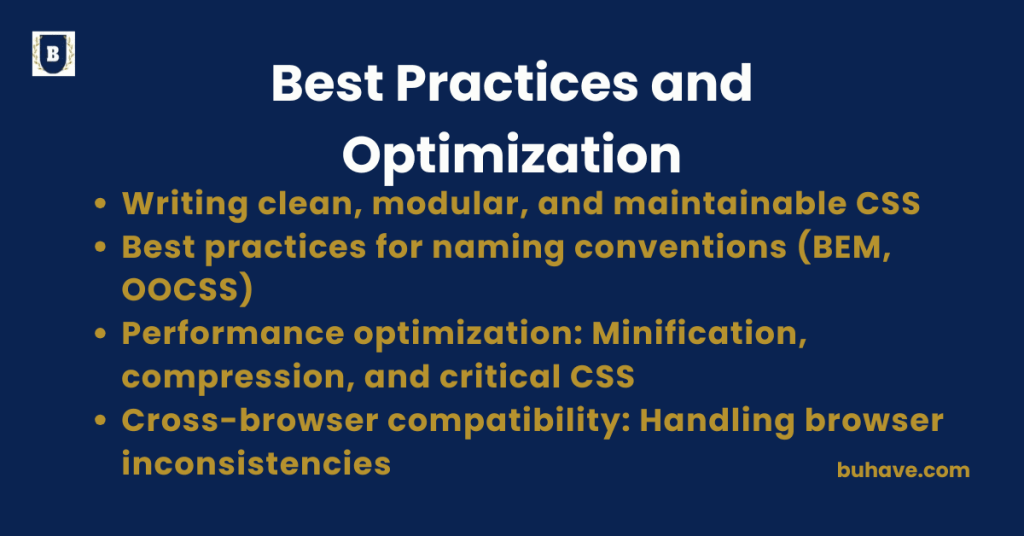
Writing clean, modular, and maintainable CSS
Clean, modular, and maintainable CSS is essential for building scalable and easy-to-manage web applications. Whether you’re working solo or with a team, well-structured CSS prevents code duplication, improves readability, and simplifies long-term maintenance. For beginners or a quick refresher, you can explore the Introduction to CSS course to ground the basics.
1. Use Meaningful Naming Conventions
- Avoid vague class names like .blue, .box1, or .main-div.
- Use semantic and descriptive names that reflect purpose, not appearance.
/* Bad */
.button-red {}
/* Good */
.btn-danger {}
Recommended: BEM (Block Element Modifier)
Example:
<div class=”card card–featured”>
<h2 class=”card__title”>Title</h2>
</div>
.card { … }
.card__title { … }
.card–featured { … }
For guidance on semantic structure and accessible markup, see Semantic HTML and Structure.
2. Modularize Your Styles
- Break styles into multiple smaller files based on features or components.
styles/
│
├── base/
│ ├── reset.css
│ └── typography.css
├── components/
│ ├── buttons.css
│ └── cards.css
├── layouts/
│ ├── header.css
│ └── grid.css
└── main.css
Additionally, CSS Frameworks can help enforce modular patterns and speed up development. See CSS Frameworks.
- Use tools like Sass or PostCSS to compile modular styles into a single CSS file.
3. Avoid !important and Deep Nesting
- Overusing !important makes debugging harder and CSS harder to override.
/* Bad */
.button {
color: red !important;
}
- Use specificity and proper structure instead.
4. Use Variables and Reusable Classes
With Preprocessors (Sass, Less):
$primary-color: #3498db;
$padding-sm: 0.5rem;
.btn {
background-color: $primary-color;
padding: $padding-sm;
}
With CSS Variables:
:root {
–primary-color: #3498db;
}
.button {
background: var(–primary-color);
}
Want to dive deeper into CSS fundamentals? See Introduction to CSS for a comprehensive overview.
5. Comment Strategically
Explain complex styles or sections that aren’t self-explanatory:
/* Aligning modal to center using flexbox */
.modal {
display: flex;
justify-content: center;
align-items: center;
}
6. Remove Unused Code Regularly
Use tools like:
- PurgeCSS or Tailwind purge
- UnusedCSS
- Chrome DevTools > Coverage tab
This keeps your stylesheets lightweight and clean.
7. Stick to a Consistent Style Guide
- Adopt a team-wide CSS style guide. Examples:
- Airbnb CSS / Sass Styleguide
- Google HTML/CSS Style Guide
Maintain consistency in:
- Indentation (2 or 4 spaces)
- Use of dashes or underscores
- Class ordering within rules
8. Leverage Linting Tools
Use tools like Stylelint to catch errors, enforce conventions, and auto-fix issues:
npm install stylelint stylelint-config-standard –save-dev
Configure .stylelintrc:
{
“extends”: “stylelint-config-standard”
}
For responsive considerations, refer to Responsive Design and Media Queries.
Summary Best Practices:
| Principle | Why It Matters |
|---|---|
| Semantic class names | Improves clarity and reusability |
| Modular structure | Easier scaling and collaboration |
| Avoid !important | Reduces override conflicts |
| Reusable styles | Consistency and reduced duplication |
| CSS variables | Easier theming and updates |
| Linting & style guides | Keeps code clean and consistent |
Would you like a sample template of a modular CSS project or BEM naming example in a real layout?
Best practices for naming conventions (BEM, OOCSS)
Using consistent, scalable naming conventions like BEM (Block Element Modifier) and OOCSS (Object-Oriented CSS) helps make CSS more readable, reusable, and maintainable—especially in large or team-based projects. These methodologies aim to reduce conflicts, encourage modularity, and make debugging easier.
1. Why Naming Conventions Matter
Without proper naming structure, CSS can become:
- Hard to scale
- Prone to conflicts and overrides
- Difficult to debug
- Repetitive and unclear
A solid naming methodology improves:
- Clarity of component purpose
- Reusability across different parts of the UI
- Maintainability and scalability
2. BEM (Block Element Modifier)
What Is BEM?
BEM stands for:
- Block – A standalone component (e.g., card)
- Element – A part of the block (e.g., card__title)
- Modifier – A variation or state of the block/element (e.g., card–highlighted)
BEM Syntax:
.block {}
.block__element {}
.block–modifier {}
BEM Example:
<div class=”nav”>
<ul class=”nav__list”>
<li class=”nav__item nav__item–active”>Home</li>
<li class=”nav__item”>About</li>
</ul>
</div>
.nav {}
.nav__list {}
.nav__item {}
.nav__item–active { font-weight: bold; }
Best Practices for BEM:
- Use lowercase and hyphen-separated words: card__title–large
- Avoid HTML tags in class names (.div-box, .ul-menu — )
- Keep blocks independent and reusable
- Treat modifiers like flags that toggle styles
3. OOCSS (Object-Oriented CSS)
What Is OOCSS?
OOCSS is based on two principles:
- Separate structure and skin: Keep layout and visual styles separate.
- Separate container and content: Components should work regardless of where they’re placed.
Example:
/* Object */
.media { display: flex; align-items: center; }
/* Skin */
.media–dark { background-color: #333; color: #fff; }
<div class=”media media–dark”>
<img class=”media__img” src=”user.jpg” />
<div class=”media__body”>Hello!</div>
</div>
Best Practices for OOCSS:
- Abstract common patterns into reusable classes (.btn, .grid, .card)
- Avoid embedding styles in deep components — keep layout flexible
- Think in terms of “objects” rather than “pages” or “sections”
4. Comparison: BEM vs OOCSS
| Feature | BEM | OOCSS |
|---|---|---|
| Focus | Component-level clarity | Reusable patterns & abstraction |
| Class naming | Hierarchical: block__element–mod | Utility-oriented: object object–mod |
| Strength | Easy to manage and read in components | Promotes high reusability |
| Use case | Ideal for modern front-end frameworks | Great for design systems and libraries |
Tips for Applying Naming Conventions
- Stay consistent across the codebase
- Avoid abbreviation: clarity > brevity (.btn-primary > .bp)
- Name for function, not appearance (.btn-danger > .btn-red)
- Use tools like stylelint with BEM plugins to enforce rules
Summary:
| Best Practice | Why It’s Important |
|---|---|
| Use BEM for structured components | Keeps CSS modular and scoped |
| Apply OOCSS for reusable objects | Encourages DRY (Don’t Repeat Yourself) code |
| Avoid visual naming in classes | Prevents conflicts during redesign |
| Keep class names semantic and clear | Improves readability and future updates |
| Combine methods if needed (Hybrid) | Offers flexibility in large-scale projects |
Would you like a ready-made naming convention style guide PDF or a sample component library using BEM/OOCSS?
Performance optimization: Minification, compression, and critical CSS
Optimizing CSS for performance ensures your website loads faster, consumes less bandwidth, and provides a smoother user experience—especially important for mobile users and search engine rankings. Here’s a detailed breakdown of key techniques: Minification, Compression, and Critical CSS.
1. CSS Minification
What is it?
Minification is the process of removing all unnecessary characters (like spaces, comments, line breaks, etc.) from CSS files without affecting functionality.
Example:
Before:
/* Style for buttons */
.button {
color: white;
background-color: blue;
}
After:
.button{color:white;background-color:blue;}
How to Minify CSS:
- Online Tools: CSS Minifier
Build Tools:
- Webpack with css-minimizer-webpack-plugin