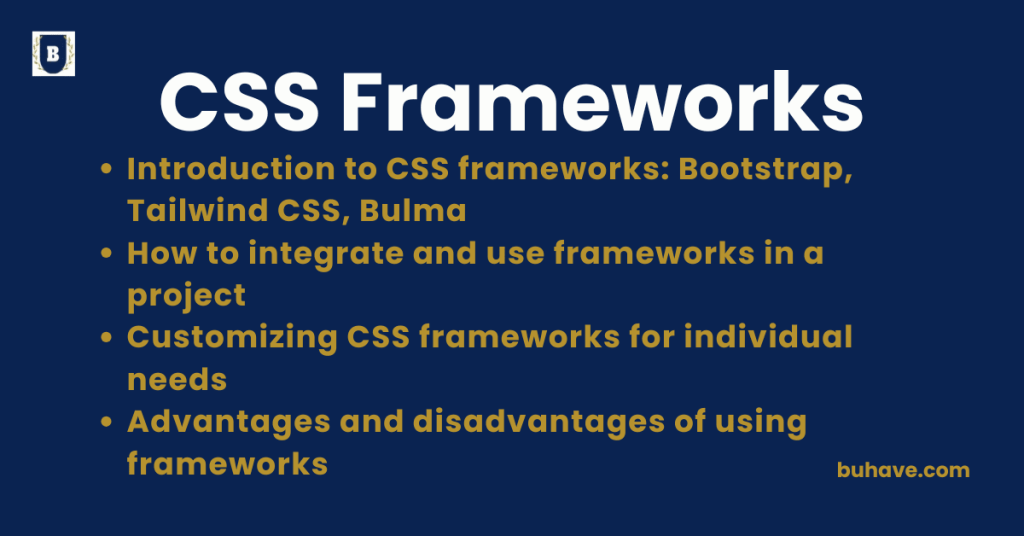
Introduction to CSS frameworks: Bootstrap, Tailwind CSS, Bulma
CSS frameworks provide predefined styles, utilities, and components that speed up the development process, promote consistency, and help create responsive and modern UI designs with less custom CSS. Let’s explore three popular CSS frameworks: Bootstrap, Tailwind CSS, and Bulma.
For foundational CSS concepts, see the Introduction to CSS.
1. Bootstrap
Bootstrap is a widely-used front-end framework that provides a collection of responsive grid systems, pre-designed UI components, and JavaScript plugins.
Key Features:
- 12-column flexbox-based grid system
- Pre-built components like buttons, navbars, modals, carousels
- Utility classes for spacing, display, typography
- Responsive by default
- Includes JavaScript plugins (dropdowns, modals, tooltips)
Example:
<button class=”btn btn-primary”>Click Me</button>
- Easy to use with pre-made styles and behaviors.
2. Tailwind CSS
Tailwind CSS is a utility-first CSS framework, meaning it provides low-level utility classes to build custom designs without writing custom CSS.
Key Features:
- Utility classes for every design property (e.g., p-4, text-center, bg-red-500)
- No pre-built UI components (but customizable via plugins or libraries like Tailwind UI)
- Promotes atomic design and faster prototyping
- Fully customizable via configuration
- Excellent for design systems and modern apps
Example:
<button class=”bg-blue-500 hover:bg-blue-600 text-white font-bold py-2 px-4 rounded”>
Submit
</button>
- Offers fine-grained control and is developer-friendly.
3. Bulma
Bulma is a modern CSS framework based entirely on Flexbox, known for its simplicity and semantic class names.
Key Features:
- Pure CSS—no JavaScript required
- Intuitive and readable class structure
- Built-in responsive grid and spacing helpers
- Modular design (include only what you need)
- Clean default styling for modern UIs
Example:
<button class=”button is-primary”>Save</button>
- Lightweight and easy for beginners or smaller projects.
Framework Comparison
| Feature | Bootstrap | Tailwind CSS | Bulma |
|---|---|---|---|
| Approach | Component-based | Utility-first | Semantic utility |
| JavaScript Included | Yes | No | No |
| Customization | Moderate | High (via config) | Moderate |
| Learning Curve | Beginner-friendly | Steeper but flexible | Easy |
| Use Case | Rapid UI prototyping | Scalable custom UIs | Clean, simple UIs |
For layout techniques, see Flexbox Layout and CSS Grid Layout.
Why Use a CSS Framework?
- Faster development
- Responsive design out of the box
- Cross-browser consistency
- Pre-tested components
- Reduces repetitive styling work
For a quick refresher on foundational CSS properties used in framework customization, see Basic CSS Properties.
Use Cases by Framework
| Framework | Ideal For |
|---|---|
| Bootstrap | Admin dashboards, corporate websites, MVPs |
| Tailwind | Design systems, custom UIs, modern SPAs |
| Bulma | Lightweight sites, portfolios, quick landing pages |
Would you like a side-by-side project example using all three frameworks for comparison?
How to integrate and use frameworks in a project
Integrating CSS frameworks like Bootstrap, Tailwind CSS, or Bulma into your web project streamlines the development process by providing prebuilt styles and components. Here’s a step-by-step breakdown for each, including both CDN and local installation methods.
1. General Steps for Any Framework
- Choose the framework based on your project needs.
- Include it via CDN or install via a package manager (NPM/Yarn).
- Use framework-specific classes in your HTML to style and structure content.
- (Optional) Customize using configuration files or overriding styles.
Bootstrap Integration
Option 1: CDN (Quick Start)
<head>
<link href=”https://cdn.jsdelivr.net/npm/bootstrap@5.3.0/dist/css/bootstrap.min.css” rel=”stylesheet”>
</head>
<button class=”btn btn-primary”>Bootstrap Button</button>
Option 2: NPM Installation
npm install bootstrap
Then in your main CSS/JS file:
import ‘bootstrap/dist/css/bootstrap.min.css’;
import ‘bootstrap’;
Tailwind CSS Integration
Option 1: CDN (Play CDN – Development Only)
<script src=”https://cdn.tailwindcss.com”></script>
<div class=”bg-blue-500 text-white p-4 rounded”>Hello Tailwind</div>
- Quick for prototyping, but not production-optimized.
Option 2: Full Setup (Production-Ready)
1. Install Tailwind via NPM
npm install -D tailwindcss
npx tailwindcss init
2. Configure tailwind.config.js to define file paths:
module.exports = {
content: [“./src/**/*.{html,js}”],
theme: {
extend: {},
},
plugins: [],
}
3. Create your CSS file:
@tailwind base;
@tailwind components;
@tailwind utilities;
4. Build CSS
npx tailwindcss -i ./src/input.css -o ./dist/output.css –watch
5. Link output.css in HTML
<link href=”/dist/output.css” rel=”stylesheet”>
Bulma Integration
Option 1: CDN
<link rel=”stylesheet” href=”https://cdn.jsdelivr.net/npm/bulma@0.9.4/css/bulma.min.css”>
<button class=”button is-primary”>Bulma Button</button>
Option 2: NPM Installation
npm install bulma
In your main SCSS file:
@import ‘bulma/bulma’;
Then compile using a Sass compiler (like sass or webpack).
Bundling Frameworks in Your Project
If using a modern development workflow with tools like Vite, Webpack, or Parcel:
- Install the framework via NPM.
- Import it in your CSS/JS entry file.
- Customize using SCSS variables or config files (Tailwind).
- Compile and bundle assets for production.
Summary: CSS frameworks offer rapid prototyping, consistent UI, and scalable design. Choose the one that fits your project needs and team workflow.