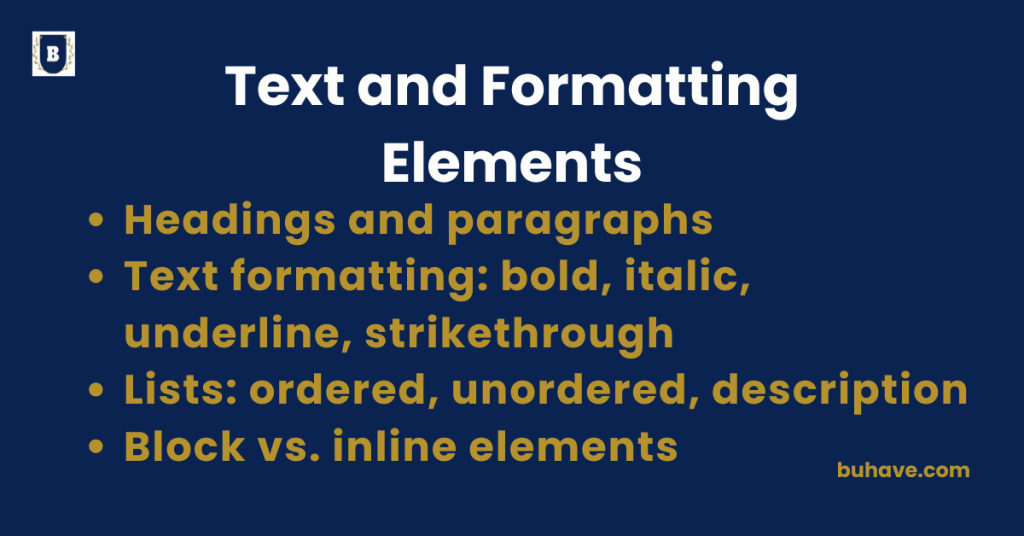
Headings and paragraphs
Headings and paragraphs are essential building blocks for structuring and organizing content on a webpage. Understanding how to use them properly ensures a well-structured, accessible, and readable page. For a deeper look at meaningful HTML structure, see Semantic HTML and Structure.
Headings (<h1> to <h6>)
What are Headings?
- Headings are used to define titles or subtitles within the content.
- They help organize the content and improve accessibility by indicating the structure of information (such as main topics and subtopics).
Structure and Usage:
- There are 6 levels of headings in HTML, from <h1> (the most important) to <h6> (the least important).
- <h1> is typically used for the main title of a page, while <h2> to <h6> are used for subsections.
Example:
<h1>This is the Main Title</h1>
<h2>This is a Subheading</h2>
<h3>This is a Sub-subheading</h3>
Best Practices:
- Use one <h1> per page to indicate the primary topic.
- Follow a hierarchical order: <h1> > <h2> > <h3> and so on.
- Keep headings concise and descriptive for better readability and SEO.
For a broader look at semantic structure in headings, see Semantic HTML and Structure.
Paragraphs (<p>)
What is a Paragraph?
- A paragraph is a block of text wrapped in the <p> tag.
- It is used to break up content into readable chunks, making it more user-friendly.
Structure and Usage:
- Text within a <p> tag will automatically be displayed with space before and after it, providing a natural separation between blocks of text.
Example:
<p>This is a paragraph of text. Paragraphs are used to divide content into readable sections.</p>
<p>HTML is the foundation of web development. It defines the structure of web pages and content.</p>
Best Practices:
- Keep paragraphs short and focused.
- Avoid large blocks of unbroken text, as they can be difficult to read.
- Use multiple <p> tags to separate distinct ideas or points.
Why are Headings and Paragraphs Important?
- SEO Benefits: Search engines use headings to understand the structure of a page. Properly structured headings can improve your page’s search ranking.
- Accessibility: Screen readers use headings to navigate through content. Proper heading hierarchy makes it easier for visually impaired users to understand the structure of your page.
- User Experience: Headings provide a quick overview of content, helping users find relevant information easily. Paragraphs help break the content into digestible sections.
For a broader understanding of semantic structure and accessibility, see Semantic HTML and Structure.
Example of Headings and Paragraphs Combined:
<!DOCTYPE html>
<html lang=”en”>
<head>
<meta charset=”UTF-8″>
<meta name=”viewport” content=”width=device-width, initial-scale=1.0″>
<title>Headings and Paragraphs Example</title>
</head>
<body>
<h1>Learning HTML Structure</h1>
<h2>What Are Headings?</h2>
<p>Headings are used to define titles and structure content. They provide a hierarchy for your page, which is important for both SEO and accessibility.</p>
<h2>What Are Paragraphs?</h2>
<p>Paragraphs are blocks of text that make content more readable. They are the most common element used for written content on the web.</p>
<h3>Why are Headings Important?</h3>
<p>Headings help both users and search engines understand the structure and content of a page. They guide users to find the information they need quickly.</p>
</body>
</html>
Summary:
- Headings (<h1> to <h6>) organize content hierarchically, making it easier to read and understand.
- Paragraphs (<p>) separate text into distinct, readable chunks.
- Both are crucial for structuring content, improving accessibility, and optimizing for SEO.
Text formatting: bold, italic, underline, strikethrough
HTML provides simple, semantic tags to style text and convey emphasis or importance. Four basic formatting options include bold, italic, underline, and strikethrough.
1. Bold Text – <strong> or <b>
Usage:
- <strong>: Indicates important or emphasized text (semantic).
- <b>: Just visually bold, with no semantic meaning.
Example:
<p>This is <strong>very important</strong> information.</p>
<p>This word is <b>bold</b> just for styling.</p>
Best Practice:
- Use <strong> when the bold text carries importance or emphasis.
For styling, you can explore CSS basics in Introduction to CSS.
2. Italic Text – <em> or <i>
Usage:
- <em>: Used for emphasized text (semantic emphasis, usually renders as italic).
- <i>: Applies italic styling only, without adding meaning.
Example:
<p>Please <em>read carefully</em> before proceeding.</p>
<p>This is <i>italicized</i> for visual effect.</p>
Best Practice:
- Use <em> for actual emphasis in meaning, especially for screen readers.
For a quick primer on HTML basics, see Introduction to HTML.
3. Underline Text – <u>
Usage:
- <u> renders underlined text, often used to denote misspelled or non-standard words.
- It does not convey emphasis by default.
Example:
<p>This sentence contains a <u>highlighted term</u>.</p>
Note:
- Underlines are commonly used for links, so avoid using <u> to style text arbitrarily, to prevent confusion.
See also Semantic HTML and Structure for guidance on meaningful emphasis and structure.
4. Strikethrough Text – <s> or <del>
Usage:
- <del>: Indicates deleted content that is no longer accurate or valid (semantic).
- <s>: Renders text with a strikethrough for visual purposes, like labeling something outdated.
Example:
<p>The original price was <del>$99.99</del> now only $49.99!</p>
<p>This method is <s>deprecated</s>.</p>
Best Practice:
- Use <del> for removed or corrected content to retain meaning.
- Use <s> for styling changes only.
Summary Table:
| Tag | Purpose | Semantic? | Appearance |
|---|---|---|---|
<strong> |
Important/emphasized text | yes | Bold |
<b> |
Styling text without meaning | no | Bold |
<em> |
Emphasized with meaning | yes | Italic |
<i> |
Italic style without meaning | no | Italic |
<u> |
Underline (usually for styling) | no | Underlined |
<s> |
Outdated/incorrect info (styling) | no | Strikethrough |
<del> |
Removed text (meaningful deletion) | yes | Strikethrough |
Example in Context
<p>This <strong>important</strong> note must be read <em>carefully</em>.</p>
<p>Today’s price: <del>$100</del> <strong>$50</strong> only!</p>
<p>The word <u>color</u> is spelled differently in the UK: <u>colour</u>.</p>
<p>This feature is <s>available</s> discontinued.</p>
For more on semantic emphasis and structure, see Semantic HTML and Structure.
Lists: ordered, unordered, description
Lists in HTML are used to group related items together in a structured format. There are three main types of lists in HTML:
1. Ordered List (<ol>)
An ordered list presents items in a specific order, usually numbered.
Syntax:
<ol>
<li>First item</li>
<li>Second item</li>
<li>Third item</li>
</ol>
Output:
- First item
- Second item
- Third item
Customizations:
- You can change the numbering style using the type attribute:
- type=”1″ (default): 1, 2, 3
- type=”A”: A, B, C
- type=”a”: a, b, c
- type=”I”: I, II, III
- type=”i″: i, ii, iii
<ol type=”A”>
<li>Alpha</li>
<li>Beta</li>
</ol>
2. Unordered List (<ul>)
An unordered list displays items in no particular order, marked by bullets.
Syntax:
<ul>
<li>Milk</li>
<li>Bread</li>
<li>Eggs</li>
</ul>
Output:
- Milk
- Bread
- Eggs
Customizations:
- The bullet style can be changed with CSS (list-style-type: circle;, square;, etc.) — see Introduction to CSS.
3. Description List (<dl>)
A description list is used for terms and their descriptions, like in a glossary or FAQ.
Syntax:
<dl>
<dt>HTML</dt>
<dd>The standard markup language for web pages.</dd>
<dt>CSS</dt>
<dd>Styles the HTML content visually.</dd>
</dl>
Output:
- HTML
The standard markup language for web pages. - CSS
Styles the HTML content visually.
Tags Used:
- <dl>: Description list container
- <dt>: Description term
- <dd>: Description details
When to Use Each Type
<table style=”width: 100%; border-collapse: collapse; font-family: Arial, sans-serif; margin: 20px 0;”>
<thead>
<tr style=”background-color: #f8f9fa;”>
<th style=”padding: 12px; text-align: left; border-bottom: 2px solid #ddd;”>
<td>Example</td>
For a quick refresher on HTML lists, you can review the introductory materials at Introduction to HTML.