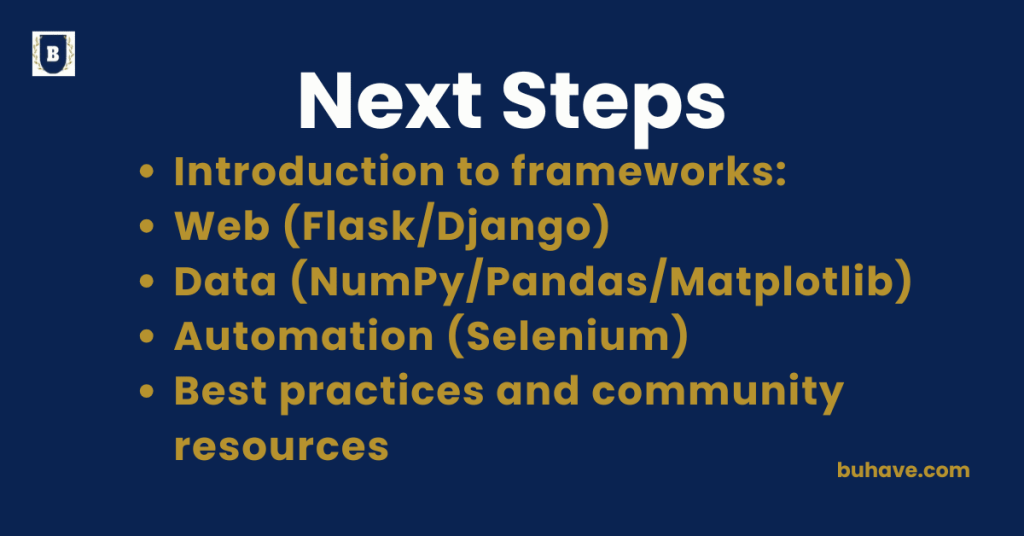
Introduction to frameworks:
A framework in Python is a collection of pre-written code and tools that provides a structured foundation for building applications, allowing developers to focus more on functionality and less on repetitive setup. Frameworks speed up development, enforce best practices, and reduce errors. As of 2024, major frameworks like Flask and Django continue to evolve with regular releases and long-term support.
Why Learn Frameworks?
- Faster development with built-in tools
- Promotes code organization and reusability
- Encourages best practices and security
- Used heavily in web development, data science, automation, and app development
Types of Frameworks
1. Web Development
| Framework | Best For | Example Use Case |
|---|---|---|
| Flask | Lightweight web apps & APIs | Blog, REST API |
| Django | Full-featured web applications | E-commerce, CMS |
| FastAPI | High-performance APIs | Real-time dashboards, microservices |
2. Data Science & AI
| Framework | Purpose |
|---|---|
| TensorFlow | Deep learning models |
| PyTorch | Neural networks & training |
| Scikit-learn | Machine learning algorithms |
| Pandas | Data manipulation |
| Matplotlib | Data visualization |
3. GUI and Desktop Apps
| Framework | Purpose |
|---|---|
| Tkinter | Built-in UI toolkit |
| PyQt | Advanced GUIs |
| Kivy | Mobile/Multitouch |
Key Concepts When Using Frameworks
- Routing – Mapping URLs to functions (Flask, Django)
- ORMs – Database interactions using Python classes (Django ORM, SQLAlchemy)
- Templates – Creating dynamic HTML (Jinja2 in Flask)
- Middleware – Functions that run before/after requests
- Modular Structure – Encouraging separation of concerns
Key Concepts When Using Frameworks
- Routing – Mapping URLs to functions (Flask, Django)
- ORMs – Database interactions using Python classes (Django ORM, SQLAlchemy)
- Templates – Creating dynamic HTML (Jinja2 in Flask)
- Middleware – Functions that run before/after requests
- Modular Structure – Encouraging separation of concerns
Key Concepts When Using Frameworks
- Routing – Mapping URLs to functions (Flask, Django)
- ORMs – Database interactions using Python classes (Django ORM, SQLAlchemy)
- Templates – Creating dynamic HTML (Jinja2 in Flask)
- Middleware – Functions that run before/after requests
- Modular Structure – Encouraging separation of concerns
Key Concepts When Using Frameworks
- Routing – Mapping URLs to functions (Flask, Django)
- ORMs – Database interactions using Python classes (Django ORM, SQLAlchemy)
- Templates – Creating dynamic HTML (Jinja2 in Flask)
- Middleware – Functions that run before/after requests
- Modular Structure – Encouraging separation of concerns
Getting Started Example (Flask)
pip install flask
from flask import Flask
app = Flask(__name__)
@app.route(“/”)
def home():
return “Welcome to your first Flask app!”
if __name__ == “__main__”:
app.run(debug=True)
Run with:
python app.py
Visit http://127.0.0.1:5000 in your browser.
For practical Python projects and hands-on practice, explore the Project Work module.
Tips for Learning Frameworks
- Start small: build a simple app or API
- Read official documentation
- Explore the directory structure and default files
- Use project-based learning to understand features in context
- Compare similar frameworks to understand trade-offs
- Apply what you learn to real projects with the Project Work course.
Learning Outcomes
- Understand what frameworks do and why they matter
- Learn how to build faster and more maintainable applications
- Gain exposure to real-world tools used in the industry
- Prepare for larger projects with scalable structure
- Automate browser interactions using Python (Working with External Libraries)
Web (Flask/Django)
Flask and Django are two of the most popular Python web frameworks used to build powerful and scalable web applications, REST APIs, and dynamic websites. They simplify common tasks like routing, templating, form handling, and working with databases.
Flask vs. Django Overview
| Feature | Flask | Django |
|---|---|---|
| Type | Micro-framework | Full-stack framework |
| Philosophy | Lightweight & flexible | Batteries-included, convention-based |
| Setup Time | Quick | Slightly longer |
| Use Case | Small to medium apps, APIs | Large, complex web applications |
| Learning Curve | Beginner-friendly | Steeper but more powerful |
Flask – Lightweight and Flexible
Flask is a micro-framework that gives you full control over the components you use.
Features:
- Simple routing and view functions
- Jinja2 templating engine
- Easy to extend with plugins
- Great for building RESTful APIs
Example:
from flask import Flask, render_template
app = Flask(__name__)
@app.route(“/”)
def home():
return “<h1>Hello from Flask!</h1>”
if __name__ == “__main__”:
app.run(debug=True)
Popular Flask Extensions:
- Flask-SQLAlchemy – ORM for database handling
- Flask-Login – Authentication and sessions
- Flask-RESTful – API development
For practical Flask projects, see the Project Work module.
Django – Feature-Rich and Scalable
Django is a high-level web framework that comes with everything you need to build a web app out of the box.
Features:
- Built-in admin interface
- ORM for databases
- User authentication
- Form handling, sessions, and middleware
- Templating system with security features
Quick Start:
pip install django
django-admin startproject mysite
cd mysite
python manage.py runserver
Visit http://127.0.0.1:8000 to see the starter project.
To apply Django concepts to real projects, consider the Project Work module.
Django Structure:
mysite/
├── manage.py
├── mysite/
│ ├── settings.py
│ ├── urls.py
│ └── wsgi.py
When to Use Which?
- Flask: Ideal for microservices, simple APIs, and apps where flexibility is a priority.
- Django: Perfect for fully featured websites, admin dashboards, or apps with user accounts, forms, and databases.
To apply Django concepts to real projects, consider the Project Work module.
Learning Outcomes
- Build and structure web apps from scratch
- Handle routing, templates, and forms
- Connect your app to a database
- Develop secure, scalable Python-based websites
- Understand MVC/MVT architecture and REST APIs
Data (NumPy/Pandas/Matplotlib)
Python is a powerhouse for data manipulation, analysis, and visualization thanks to libraries like NumPy, Pandas, and Matplotlib. These tools are essential in data science, machine learning, automation, and business intelligence workflows.
NumPy – Numerical Python
NumPy provides fast, efficient handling of large arrays and matrices, along with a wide variety of mathematical functions.
Key Features:
- Multi-dimensional arrays (ndarray)
- Vectorized operations (faster than native Python loops)
- Linear algebra, statistics, and random number generation
- Basis for most scientific computing libraries in Python
Example:
import numpy as np
a = np.array([1, 2, 3])
b = np.array([4, 5, 6])
print(a + b) # Output: [5 7 9]
Pandas – Data Analysis Made Easy
Pandas builds on NumPy and adds powerful DataFrame and Series structures that make data manipulation easy and intuitive.
Key Features:
- DataFrames for tabular data (like Excel sheets)
- Read/write CSV, Excel, JSON, SQL, etc.
- Data cleaning, filtering, grouping, merging
- Time series support
Example:
import pandas as pd
data = {‘Name’: [‘Alice’, ‘Bob’], ‘Age’: [25, 30]}
df = pd.DataFrame(data)
print(df[df[‘Age’] > 26])
Matplotlib – Data Visualization
Matplotlib is a flexible library for creating static, animated, and interactive plots in Python.
Key Features:
- Line charts, bar charts, scatter plots, histograms, etc.
- Fully customizable plots
- Can be combined with Pandas and NumPy
Example:
import matplotlib.pyplot as plt
x = [1, 2, 3]
y = [10, 20, 30]
plt.plot(x, y)
plt.title(“Simple Line Plot”)
plt.xlabel(“X Axis”)
plt.ylabel(“Y Axis”)
plt.show()
Combined Example: Pandas + Matplotlib
import pandas as pd
import matplotlib.pyplot as plt
df = pd.read_csv(“sales.csv”)
df[‘Revenue’].plot(kind=’bar’)
plt.title(“Monthly Revenue”)
plt.show()
Learning Outcomes
- Work with large datasets using NumPy arrays and vectorized operations
- Analyze and clean real-world datasets with Pandas
- Visualize trends and patterns with Matplotlib
- Perform exploratory data analysis (EDA)
- Build the foundation for machine learning, automation, or dashboard projects
Automation (Selenium)
Selenium is a powerful Python tool for automating web browsers. It simulates user actions like clicking buttons, filling forms, or scraping data from dynamic websites—making it perfect for testing, data collection, and workflow automation.
What is Selenium?
Selenium is a browser automation framework that allows Python scripts to control web browsers (Chrome, Firefox, etc.) just like a human user would.
Key Features:
- Open web pages and interact with elements (buttons, forms, links)
- Fill out and submit forms automatically
- Scrape content from dynamic websites (JavaScript-heavy)
- Automate repetitive web-based tasks (e.g., logins, downloads)
- Capture screenshots or generate reports
- Supports headless operation (run browser in background)
Setup:
1. Install Selenium:
pip install selenium
2. Download a WebDriver (e.g., ChromeDriver):
- Match the version with your browser.
- Place the driver in your system PATH or reference it in code.
Basic Example:
from selenium import webdriver
from selenium.webdriver.common.by import By
from selenium.webdriver.common.keys import Keys
# Set up the driver
driver = webdriver.Chrome()
# Open a website
driver.get(“https://www.google.com”)
# Find the search box and search
search_box = driver.find_element(By.NAME, “q”)
search_box.send_keys(“Python Selenium”)
search_box.send_keys(Keys.RETURN)
# Wait and close
driver.implicitly_wait(5)
driver.quit()
Useful Selenium Functions
| Action | Method |
|---|---|
| Navigate to URL | driver.get(url) |
| Locate elements | find_element(By.ID / NAME / CLASS_NAME) |
| Click a button | element.click() |
| Type into a field | element.send_keys("text") |
| Get text or attributes | element.text, element.get_attribute() |
| Take a screenshot | driver.save_screenshot("screenshot.png") |
Use Cases
- Web scraping where JavaScript rendering is required
- Automated testing of web applications
- Auto-login scripts for accounts
- Automating form submissions and downloads
- Monitoring price changes or content updates
Important Notes
- Websites can detect bots—add wait times and mimic human behavior.
- Always comply with website terms of service.
- Selenium is not as fast as APIs or direct HTML parsing, but it works where other tools fail.
Learning Outcomes
- Automate browser interactions using Python (Working with External Libraries)
- Handle dynamic content not accessible
- Record interactions for automated testing and data collection
- Build end-to-end automation workflows across web apps
- Integrate Selenium with other tools for robust automation