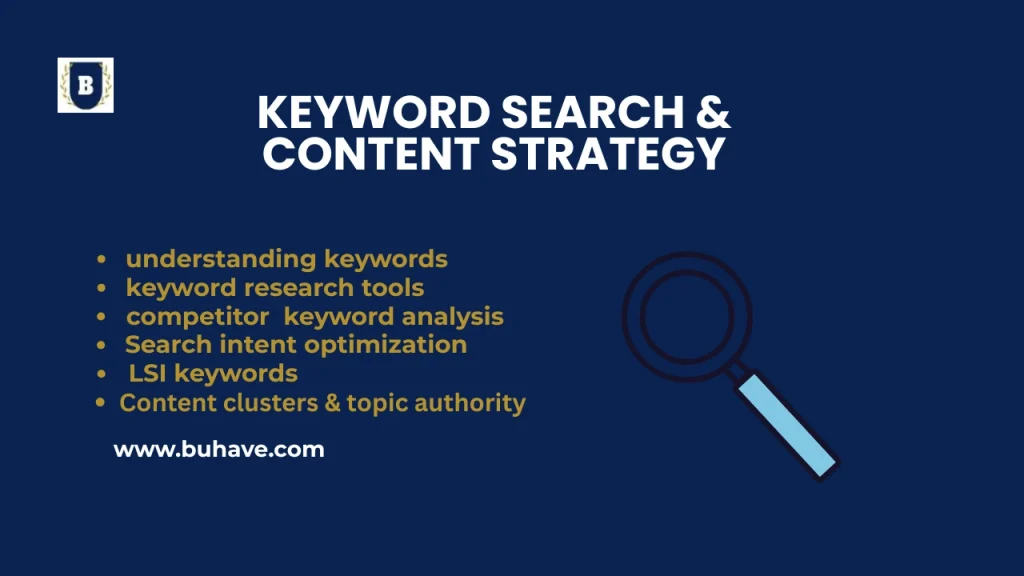
Keyword research is the foundation of any successful SEO strategy, as it helps identify the terms and phrases your target audience uses when searching for information, products, or services online. The process involves analyzing search volume, competition, and relevance to determine which keywords can drive the most valuable traffic to your website. Effective keyword research begins with understanding your audience’s intent—whether they are seeking information, looking to make a purchase, or navigating to a specific website. For a broader overview, see Introduction to SEO.
Tools like Google Keyword Planner, SEMrush, Ahrefs, and Ubersuggest can help uncover high-potential keywords, including long-tail keywords that are less competitive but highly targeted. By integrating these keywords naturally into your content, meta tags, headers, and URLs, you can improve your site’s visibility, attract qualified traffic, and align your content with what users are actively searching for. For insight into keyword match types and how they affect campaigns, see Keyword Research and Match Types.
Regularly updating and refining your keyword strategy based on trends and performance metrics ensures your SEO efforts remain effective and competitive.
Understanding Keywords: Short-tail vs. Long-tail Keywords.
Keywords are the foundation of SEO & digital marketing. Choosing the right type of keyword can impact ranking, traffic, and conversions.
What Are Keywords in SEO?
- Keywords are search terms people type into Google to find information.
- Using the right keywords helps websites rank higher in search results.
- Keywords can be Short-Tail (broad) or Long-Tail (specific).
1. Short-Tail Keywords (Broad & Competitive)
Short-tail keywords are 1-2 words long and have high search volume but are very competitive.
Examples of Short-Tail Keywords:
- “Shoes”
- “Digital Marketing”
- “SEO Tips”
- “Fitness”
Characteristics of Short-Tail Keywords:
- High Search Volume – Millions of people search these terms.
- High Competition – Difficult to rank due to big brands dominating.
- Low Conversion Rate – Too broad; users may not have buying intent.
- Generic Intent – Covers a wide range of topics.
Challenges of Short-Tail Keywords:
- Harder to Rank – Requires a strong domain authority.
- Expensive in PPC Ads – High Cost-Per-Click (CPC) in Google Ads.
- Lower Engagement – Less targeted to user needs.
2. Long-Tail Keywords (Specific & Targeted)
Long-tail keywords are 3+ words long, have lower search volume, but are highly targeted and easier to rank for.
Examples of Long-Tail Keywords:
- “Best running shoes for flat feet”
- “How to do SEO for a small business website”
- “Affordable digital marketing services for startups”
- “Vegan weight loss meal plan for beginners”
Characteristics of Long-Tail Keywords:
- Lower Search Volume – Fewer searches, but highly relevant.
- Low Competition – Easier to rank in Google SERPs.
- Higher Conversion Rate – Users are more ready to take action.
- Specific Intent – Solves a particular problem or need.
Challenges of Long-Tail Keywords:
- Less Traffic Per Keyword – But combined long-tail keywords can bring massive traffic.
- Requires More Content – Need in-depth blogs & landing pages.
Short-Tail vs. Long-Tail Keywords: Key Differences
| Feature | Short-Tail Keywords | Long-Tail Keywords |
|---|---|---|
| Length | 1-2 words | 3+ words |
| Search Volume | High | Low to Medium |
| Competition | Very High | Low to Medium |
| Conversion Rate | Low | High |
| Ranking Difficulty | Hard | Easier |
| Cost for PPC Ads | Expensive | Cheaper |
| User Intent | General & Broad | Specific & Targeted |
How to Use Short-Tail & Long-Tail Keywords in SEO?
Short-Tail Keywords:
- Homepage & Category Pages
- Brand Awareness & Broad Topic
- PPC Ads (if you have a high budget)
Long-Tail Keywords:
- Blog Posts & FAQs
- Product & Service Pages
- Targeting Niche Audiences & Specific Queries
Pro SEO Tip: Use Both for Maximum Results!
- Target short-tail keywords to build authority & get broad exposure.
- Use long-tail keywords to drive targeted, high-converting traffic.
- Find the balance between traffic volume & ranking difficulty.
Want to Find the Best Keywords? Use These Tools:
- Google Keyword Planner (Free)
- Ahrefs & SEMrush (Paid)
- Ubersuggest (Freemium)
- AnswerThePublic (Find long-tail questions)
Keyword Research Tools: Google Keyword Planner, Ahrefs, SEMrush
Keyword research is the foundation of SEO and digital marketing. The right tools can help you find high-ranking keywords, analyze competitors, and optimize content for better search engine visibility. For a broader foundation onSEO concepts, see Search Engine Optimization.
1. Google Keyword Planner (Free & Paid – Best for PPC & SEO)
Google Keyword Planner is a free tool by Google Ads that helps you find relevant keywords, search volume, CPC (Cost-Per-Click), and competition level. Introduction to SEO provides additional context on how these metrics influence strategy.
Best For:
- Finding SEO & PPC keywords
- Checking monthly search volume
- Discovering keyword competition
How to Use Google Keyword Planner for SEO?
- Go to Google Ads → Keyword Planner
- Select “Discover new keywords”
- Enter your main keyword (e.g., “digital marketing”)
- Get a list of keyword ideas, search volume & trends
- Export the best keywords & integrate them into your content
Pros & Cons of Google Keyword Planner
Pros:
- Free to use (Google Ads account required)
- Reliable data from Google’s database
- Useful for local & global keyword targeting
Cons:
- Shows broad search volume ranges (e.g., 1K-10K searches/month)
- Not ideal for competitive analysis
Pro Tip: Combine Google Keyword Planner with Google Trends to find trending topics!
2. Ahrefs (Paid – Best for SEO & Competitor Analysis)
Ahrefs is a powerful SEO tool for keyword research, backlink analysis, and competitive research. Keyword Research for AEO covers question-based keyword research and how to target real user questions.
Best For:
- Finding high-ranking keywords
- Checking keyword difficulty (KD)
- Analyzing competitor keywords & backlinks
How to Use Ahrefs for Keyword Research?
- Open Ahrefs Keyword Explorer
- Enter a keyword or competitor’s domain
- Check search volume, CPC, keyword difficulty (KD)
- Use Keyword Ideas & Questions for content planning
- Export the best keywords & optimize your site
Pros & Cons of Ahrefs
Pros:
- Accurate search volume & keyword difficulty data
- Best for competitor research & backlinks
- Includes SERP analysis & ranking history
Cons:
- Expensive ($99/month for basic plan)
- No free version available
Pro Tip: Use Ahrefs’ Content Gap feature to find keywords your competitors rank for—but you don’t!
3. SEMrush (Paid – Best for SEO & PPC Strategy)
SEMrush is an all-in-one SEO, PPC, and content marketing tool with keyword research, site audit, and competitor analysis features. Keyword Research and Match Types provides additional guidance on aligning keyword research with PPC strategy.
Best For:
- Finding SEO & PPC keywords
- Analyzing competitor keyword rankings
- Tracking SEO performance over time
How to Use SEMrush for Keyword Research?
- Open SEMrush Keyword Magic Tool
- Enter a keyword or competitor’s website
- Analyze keyword volume, difficulty, CPC, and trend
- Use Keyword Variations & Questions for content ideas
- Track keyword rankings and optimize your pages
Pros & Cons of SEMrush
Pros:
- Best for SEO & PPC keyword research
- Keyword Gap tool finds missing keyword opportunities
- Includes SEO audit & backlink analysis
Cons:
- Expensive ($119.95/month for basic plan)
- Limited free searches per day
Pro Tip: Use SEMrush Topic Research to generate content ideas based on trending keywords!
4. Ubersuggest (Freemium – Best for Beginners & Budget-Friendly SEO)
Ubersuggest (by Neil Patel) is a simple keyword research tool with basic SEO insights. It provides search volume, keyword difficulty, and content ideas. Content Marketing offers practical guidance on turning keyword insights into content topics.
Best For:
- Finding long-tail keywords
- Checking SEO difficulty & CPC
- Generating content topic ideas
How to Use Ubersuggest for Keyword Research?
- Enter a keyword or domain
- View search volume, CPC, and competition
- Check related keyword suggestions
- Get content ideas & backlink opportunities
Pros & Cons of Ubersuggest
Pros:
- Freemium model (limited free searches daily)
- Great for beginners & small businesses
- Offers SEO audit & backlink analysis
Cons:
- Limited data compared to Ahrefs & SEMrush
- Search volume accuracy can vary
Pro Tip: Use Ubersuggest’s “Content Ideas” to find high-performing blog topics!
SEO Tools Comparison:
| Tool | Best For | Pricing | Features |
|---|---|---|---|
| Google Keyword Planner | SEO & PPC keywords | Free | Search volume, CPC, keyword ideas |
| Ahrefs | Competitor analysis & backlinks | $99+/month | Keyword difficulty, SERP analysis, backlink data |
| SEMrush | SEO & PPC strategy | $119.95+/month | Keyword research, site audit, competitor tracking |
| Ubersuggest | Budget-friendly SEO | Freemium ($29+/month) | Keyword ideas, SEO audit, content suggestions |
Final SEO Keyword Research Tips
- Use multiple tools – No single tool is perfect!
- Target long-tail keywords – Less competition, higher conversions!
- Analyze competitor keywords – Find hidden opportunities!
- Check search intent – Ensure your keywords match user needs!
- Monitor rankings – Track keyword performance in Google Search Console!
Note: SEO trends and SERP features continue to evolve. Regularly revisit keyword strategies and consider integrating AI-assisted insights and data from current industry practices to stay ahead.
Competitor Keyword Analysis: Finding untapped opportunities.
Competitor keyword analysis helps you identify gaps, discover high-ranking keywords, and outperform competitors in search engine results. By analyzing your competitors’ keyword strategies, you can find untapped opportunities and refine your own SEO plan.
Why Competitor Keyword Analysis Matters
- Find High-Performing Keywords → Discover what’s driving traffic to competitors.
- Identify Keyword Gaps → Find keywords competitors rank for—but you don’t!
- Optimize Your Content Strategy → Create better content targeting high-traffic keywords.
- Boost PPC Campaigns → Improve paid search by bidding on competitors’ best keywords.
Here is the Step-by-Step Guide to Competitor Keyword Research
Step 1: Identify Your Top Competitors
Before analyzing keywords, you need to know who your competitors are. For a broader overview of SEO foundations, see Search Engine Optimization.
How to Find SEO Competitors?
- Google Search: Search your main keywords and see who ranks in the top 10 results.
- Ahrefs/SEMrush: Enter your website and get a list of competing domains.
- SimilarWeb/Ubersuggest: Check competitor traffic sources & keyword rankings.
- Example: If you run an online fitness blog, search for “best weight loss tips” and note down the top-ranking websites.
Step 2: Use SEO Tools to Analyze Competitor Keywords
Once you’ve identified your competitors, use SEO tools to analyze their keyword strategy. For a broader view of how competitor analysis fits into overall SEO strategy, see Search Engine Optimization.
| Tool | Best For | Pricing |
|---|---|---|
| Ahrefs | Keyword gap analysis & backlinks | $99+/month |
| SEMrush | Competitive research & PPC | $119.95+/month |
| Ubersuggest |