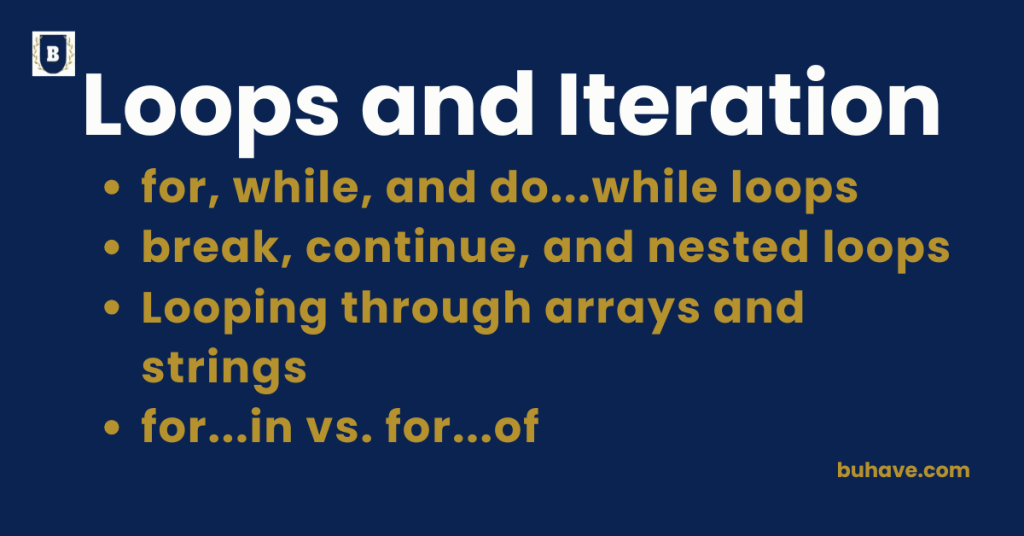
for, while, and do…while loops
Loops allow you to repeat a block of code as long as a condition is true. JavaScript provides several types of loops — each suited for different scenarios. By the end of this lesson, you’ll be able to choose the right loop construct for common tasks, such as iterating arrays, strings, and object properties. If you want a cross-language perspective, see our Loops and Iteration course.
1. for Loop
Best For:
- When the number of iterations is known
- Looping through arrays or counters
Syntax:
for (initialization; condition; increment) {
// Code block to execute
}
For a deeper look at JavaScript syntax basics, see our Basics and Syntax lesson.
Example:
for (let i = 1; i <= 5; i++) {
console.log(“Count: ” + i);
}
// Output: Count: 1 … Count: 5
How it works:
- initialization runs once at the beginning
- condition is checked before each iteration
- increment runs after each iteration
2. while Loop
Best For:
- When the number of iterations is unknown
- Running a loop as long as a condition remains true
Syntax:
while (condition) {
// Code block to execute
}
Example:
let i = 1;
while (i <= 5) {
console.log(“Count: ” + i);
i++;
}
// Output: Count: 1 … Count: 5
How it works:
- The condition is evaluated before each loop
- If false, the loop exits immediately
3. do…while Loop
Best For:
- When you want the loop to run at least once, even if the condition is false
- Validating user input, menu systems, etc.
Syntax:
do {
// Code block to execute
} while (condition);
Example:
let i = 1;
do {
console.log(“Count: ” + i);
i++;
} while (i <= 5);
// Output: Count: 1 … Count: 5
How it works:
The code block executes once before checking the condition
Comparison Table:
| Feature | for Loop | while Loop | do…while Loop |
|---|---|---|---|
| Use case | Known iterations | Unknown iterations | Run at least once |
| Condition check | Before each iteration | Before each iteration | After first iteration |
| Runs if false? | No | No | Yes (runs once) |
Common Mistakes to Avoid
- Forgetting to update the counter → infinite loop
- Using = instead of == or === in condition
- Not adding a base case in while or do…while
Best Practices
- Use for when working with arrays or indexes
- Use while when looping until a dynamic condition is met
- Use do…while when you need at least one execution
Break, continue, and nested loops
1. Break Statement
The break statement is used to immediately exit a loop or switch statement.
Example:
for (let i = 1; i <= 5; i++) {
if (i === 3) break;
console.log(i);
}
// Output: 1, 2
- The loop stops completely when
i === 3.
2. continue Statement
The continue statement is used to skip the current iteration and jump to the next one.
Example:
for (let i = 1; i <= 5; i++) {
if (i === 3) continue;
console.log(i);
}
// Output: 1, 2, 4, 5
- When i === 3, it skips that iteration but continues looping.
3. Nested Loops
A loop inside another loop.
Example:
for (let i = 1; i <= 3; i++) {
for (let j = 1; j <= 3; j++) {
console.log(`i: ${i}, j: ${j}`);
}
}
- The inner loop completes all iterations before the outer loop moves on.
Output:
i: 1, j: 1
i: 1, j: 2
i: 1, j: 3
i: 2, j: 1
…
Using break & continue in Nested Loops
Break from Inner Loop Only
for (let i = 1; i <= 3; i++) {
for (let j = 1; j <= 3; j++) {
if (j === 2) break;
console.log(`i: ${i}, j: ${j}`);
}
}
Break from All Loops (Label)
outerLoop: for (let i = 1; i <= 3; i++) {
for (let j = 1; j <= 3; j++) {
if (j === 2) break outerLoop;
console.log(`i: ${i}, j: ${j}`);
}
}
Common Mistakes:
- Infinite loops by forgetting to break or increment.
- Overusing nested loops → Slow performance.
Looping through arrays and strings
Looping Through Arrays in JavaScript
Arrays are ordered collections, and there are multiple ways to loop through them.
1. Using a for Loop
Traditional and flexible.
const fruits = [“apple”, “banana”, “cherry”];
for (let i = 0; i < fruits.length; i++) {
console.log(fruits[i]);
}
// Output: apple, banana, cherry
- Access each element by its index (i).
2. Using for…of Loop
Simpler and cleaner for arrays.
const fruits = [“apple”, “banana”, “cherry”];
for (let fruit of fruits) {
console.log(fruit);
}
// Output: apple, banana, cherry
- Directly gives you the value, not the index.
3. Using forEach() Method
Functional style.
const fruits = [“apple”, “banana”, “cherry”];
fruits.forEach(function(fruit, index) {
console.log(index, fruit);
});
// Output: 0 apple, 1 banana, 2 cherry
Can also use arrow functions:
fruits.forEach((fruit, index) => console.log(index, fruit));
4. Using map() (if you want a new array)
const upperFruits = fruits.map(fruit => fruit.toUpperCase());
console.log(upperFruits);
// Output: [“APPLE”, “BANANA”, “CHERRY”]
- map() is for transforming arrays while looping.
Looping Through Strings in JavaScript
Strings are like arrays of characters.
1. Using a for Loop
const str = “hello”;
for (let i = 0; i < str.length; i++) {
console.log(str[i]);
}
// Output: h, e, l, l, o
- Access each character by index.
2. Using for…of Loop
const str = “hello”;
for (let char of str) {
console.log(char);
}
// Output: h, e, l, l, o
- Very clean and readable.
3. Using split() and forEach()
First convert string to array.
const str = “hello”;
str.split(“”).forEach(char => console.log(char));
// Output: h, e, l, l, o
- Useful if you want array methods while looping.
Summary Table:
| Loop Type | Best For | Notes |
|---|---|---|
| for loop | Full control (index, value) | Flexible, a bit longer |
| for…of loop | Easy value access | Cleaner for arrays and strings |
| forEach() | Functional iteration | Cannot break or continue |
| map() | Transform and return new array | Does not modify original array |
Best Practices
- Use for…of for simple value access.
- Use for if you need the index.
- Use forEach() for quick iteration without needing breaks.
- Use map() when you want to create a new array.
for…in vs. for…of
Both for…in and for…of are looping constructs, but they are used for different types of iteration.
For more practical guidance on selecting the right loop type, see our Control Flow lesson.
| Feature | for…in | for…of |
|---|---|---|
| Iterates over | Keys (property names) | Values (data inside) |
| Works with | Objects, Arrays (not recommended) | Arrays, Strings, Maps, Sets, etc. |
| Value inside loop | Key/index | Actual value |
| Suitable for | Objects | Arrays, Strings, Iterables |
| Should you use on arrays? | Not ideal — may cause bugs | Perfect fit |
1. for…in Loop (for Object Properties)
The for…in loop is mainly for enumerating object properties.
Syntax:
for (let key in object) {
// Code block
}
Example:
const user = { name: “Alice”, age: 25, country: “USA” };
for (let key in user) {
console.log(`${key}: ${user[key]}`);
}
// Output:
// name: Alice
// age: 25
// country: USA
- key is the property name (“name”, “age”, etc.)
- You access the value using object[key].
2. for…of Loop (for Iterable Values)
The for…of loop is used to iterate over values of iterable objects like Arrays, Strings, Maps, Sets.
Syntax:
for (let value of iterable) {
// Code block
}
Example with Array:
const colors = [“red”, “green”, “blue”];
for (let color of colors) {
console.log(color);
}
// Output:
// red
// green
// blue
- color is the actual value inside the array.
Example with String:
const name = “Bob”;
for (let char of name) {
console.log(char);
}
// Output: B, o, b
Important Notes
- for…in loops over all enumerable properties, including those inherited through the prototype chain.
That’s why it’s not recommended for arrays — you might get unexpected keys. - for…of works only on iterables (arrays, strings, maps, sets) and gives you clean, value-based iteration.
Real World Tip:
- When looping over arrays or strings use for…of.
- When looping over object properties use for…in.
Quick Summary:
| Use Case | Loop Type |
|---|---|
| Looping object properties | for…in |
| Looping array elements | for…of |
| Looping string characters | for…of |
| Looping Map or Set | for…of |