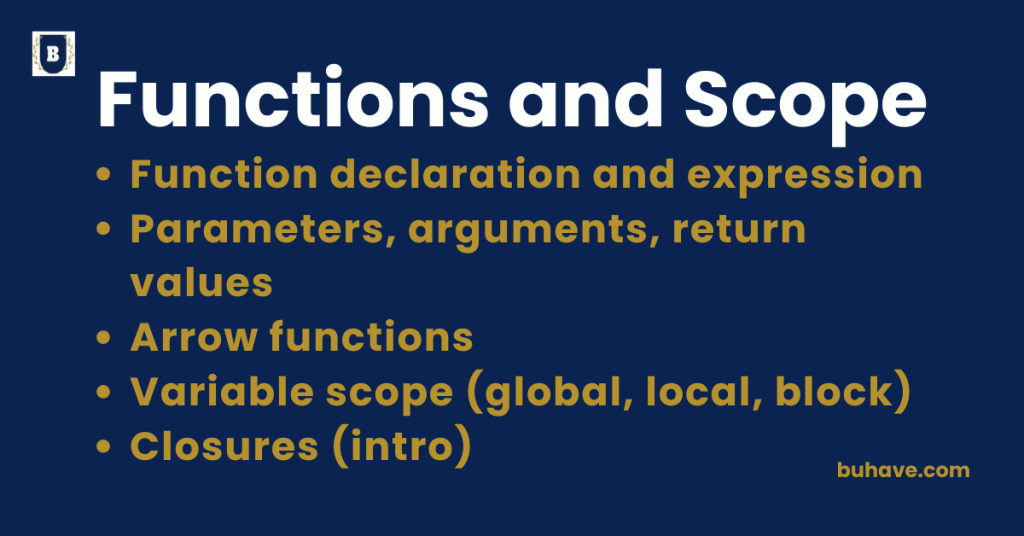
Function Declaration and Expression
Function Declaration
A Function Declaration is the classic way to define a named function that participates directly in your program’s main flow. For a broader look at function concepts, see our Functions module.
Syntax:
function functionName(parameters) {
// code block
}
Example:
function add(a, b) {
return a + b;
}
console.log(add(2, 3)); // Output: 5
Key Features:
- Named function (like add above).
- Hoisted: Can be called before it appears in the code.
- Good for defining main functions used throughout the program.
Function Expression
A Function Expression is a function assigned to a variable, which may be anonymous or named. It can be anonymous or named. For broader context, see the Introduction to JavaScript guide.
Syntax:
const functionName = function(parameters) {
// code block
};
Example:
const multiply = function(a, b) {
return a * b;
};
console.log(multiply(4, 5)); // Output: 20
Key Features:
- Can be anonymous (no name) or named (rarely).
- Not hoisted: You must define it before you call it.
- Useful for passing functions as arguments or storing them in variables.
Key Differences Between Declaration and Expression:
| Feature | Function Declaration | Function Expression |
|---|---|---|
| Name | Always named | Can be anonymous or named |
| Hoisting | Yes | No |
| When defined | During the code parsing phase | During the execution phase |
| Common Use | Defining main reusable blocks | Assigning to variables, callbacks |
| Example usage | function add(a, b) {} |
const add = function(a, b) {} |
Hoisting Example:
Function Declaration (Works before defining):
sayHello(); // Output: Hello
function sayHello() {
console.log(‘Hello’);
}
Function Expression (Fails if called early):
sayHi(); // Error: Cannot access ‘sayHi’ before initialization
const sayHi = function() {
console.log(‘Hi’);
};
Best Practices:
- Use function declarations for functions you call throughout the code.
- Use function expressions for callbacks, dynamic functions, or inside event listeners.
- In modern JavaScript, prefer arrow functions (()=>{}) for short expressions.
Parameters, Arguments, Return values
1. Parameters
Parameters are variables listed inside the parentheses of a function definition.
They act as placeholders for the values (arguments) that the function will receive when it is called.
Syntax:
function greet(name) {
console.log(`Hello, ${name}`);
}
- Here, name is the parameter.
- It is a local variable inside the function.
2. Arguments
Arguments are the actual values you pass into a function when you call it.
They are assigned to the function’s parameters.
Syntax:
greet(“Alice”);
- “Alice” is the argument passed to the greet function.
- The function uses “Alice” wherever name is referenced.
Important Points:
- The number of parameters and arguments should match, but JavaScript is flexible:
- Extra arguments are ignored.
- Missing arguments become undefined.
function displayInfo(name, age) {
console.log(`${name} is ${age} years old.`);
}
displayInfo(“Bob”);
// Output: Bob is undefined years old.
3. Return Values
- Return values are the results that a function sends back after it finishes running.
- You use the return keyword to send data out of the function.
Syntax:
function add(a, b) {
return a + b;
}
const result = add(2, 3);
console.log(result); // Output: 5
- return a + b; sends back the sum.
- The result variable now holds the value 5.
Important Rules About return:
- A function stops executing immediately after return.
- If no return is specified, the function returns undefined by default.
- You can return any type: numbers, strings, objects, arrays, even another function.
function noReturn() {
console.log(“This function doesn’t return anything explicitly.”);
}
console.log(noReturn());
// Output: This function doesn’t return anything explicitly.
// undefined
Quick Summary Table:
| Term | Meaning | Example |
|---|---|---|
| Parameter | Placeholder variable in function definition | function greet(name) |
| Argument | Actual value passed into the function | greet("Alice") |
| Return Value | The output a function sends back | return a + b |
Best Practices:
- Always name parameters clearly for readability.
- Ensure correct number of arguments are passed.
- Use return to make functions more reusable and predictable.
Arrow functions
JavaScript Arrow Functions (ES6+)
Arrow functions are a concise syntax for defining functions, introduced in ES6 (ECMAScript 2015). They reduce boilerplate, provide lexical this (they do not bind their own this), and are broadly supported by modern browsers and Node.js.
1. Basic Syntax of Arrow Functions
Traditional Function:
function add(a, b) {
return a + b;
}
Arrow Function (equivalent):
const add = (a, b) => {
return a + b;
};
- function keyword is removed.
- Arrow (=>) is used instead.
- The function is usually assigned to a variable.
2. Shortened Syntax for Simple Returns
If the function has only one expression, you can omit {} and return completely.
const add = (a, b) => a + b;
- Clean and automatic return of the value.
3. Arrow Function Variations
| Case | Syntax Example | Notes |
|---|---|---|
| Multiple Parameters | (a, b) => a + b |
Use parentheses for two or more params |
| Single Parameter | name => console.log(name) |
Parentheses optional if one param |
| No Parameters | () => console.log('Hello') |
Always need parentheses |
Examples:
One parameter:
const square = x => x * x;
console.log(square(5)); // Output: 25
No parameter:
const greet = () => console.log(“Hello!”);
greet(); // Output: Hello!
More complex body (need {} and return):
const sum = (a, b) => {
const result = a + b;
return result;
};
console.log(sum(2, 3)); // Output: 5
4. Special Behavior of this in Arrow Functions
- Arrow functions do NOT have their own this context.
- They inherit this from the surrounding (parent) scope.
Example:
function Person() {
this.name = “Alice”;
setTimeout(() => {
console.log(`Hello, ${this.name}`);
}, 1000);
}
const p = new Person();
// Output after 1 second: Hello, Alice
- If you used a regular function inside setTimeout, this.name would be undefined.
- Arrow function keeps the this of Person.
Arrow Function vs Regular Function (Key Differences)
| Feature | Regular Function | Arrow Function |
|---|---|---|
| Syntax | Longer (function keyword needed) | Shorter and cleaner (=>) |
| this Behavior | Dynamic based on how it’s called | Lexical (inherits from parent) |
| Suitable for | Constructors, methods, complex logic | Short functions, callbacks |
When to Use Arrow Functions
- When you want shorter syntax for simple operations.
- When you need to preserve the surrounding this.
- Ideal for array methods like map(), filter(), reduce().
- Good for event handlers, callbacks, promises, and simple utility functions.
Quick Summary:
- Arrow functions are short, clean, and lexical-scoped versions of functions.
- No separate this, arguments, or super.
- Not ideal for methods inside objects or for constructor functions.
Arrow functions are a concise syntax for defining functions and are broadly supported in modern environments since their introduction in ES6 (2015).
For practical examples, see Array methods in our Arrays and Objects lesson.
Variable scope (global, local, block)
What is Scope?
Scope refers to where a variable is accessible in your code.
It defines the visibility and lifetime of variables.
1. Global Scope
- A variable has global scope if it is declared outside any function or block.
- It can be accessed anywhere in the program.
Example:
let globalVar = “I am global”;
function showGlobal() {
console.log(globalVar); // Can access globalVar
}
showGlobal();
console.log(globalVar); // Accessible here too
- Global variables are available throughout the entire script.
Caution:
- Too many global variables can cause conflicts and bugs, especially in large programs.
2. Local Scope (Function Scope)
- A variable has local scope if it is declared inside a function.
- It is accessible only within that function.
Example:
function greet() {
let message = “Hello, World!”;
console.log(message); // Accessible here
}
greet();
console.log(message); // Error: message is not defined
- Local variables cannot be accessed outside the function.
3. Block Scope
- Variables declared with let and const are block-scoped.
- A block is anything between {} — like loops, conditionals, or simply {}.
Example:
{
let blockVar = “Inside block”;
console.log(blockVar); // Accessible inside block
}
console.log(blockVar); // Error: blockVar is not defined
- let and const create block-scoped variables.
- var does not respect block scope (only function or global).
Quick Comparison of var, let, and const Scope
| Keyword | Scope Type | Hoisting | Reassignable | Redeclarable | Example Use |
|---|---|---|---|---|---|
| var | Function or Global | Yes | Yes | Yes | Old codebases |
| let | Block | Yes* | Yes | No | Loops, modern code |
| const | Block | Yes* | No | No | Constants |