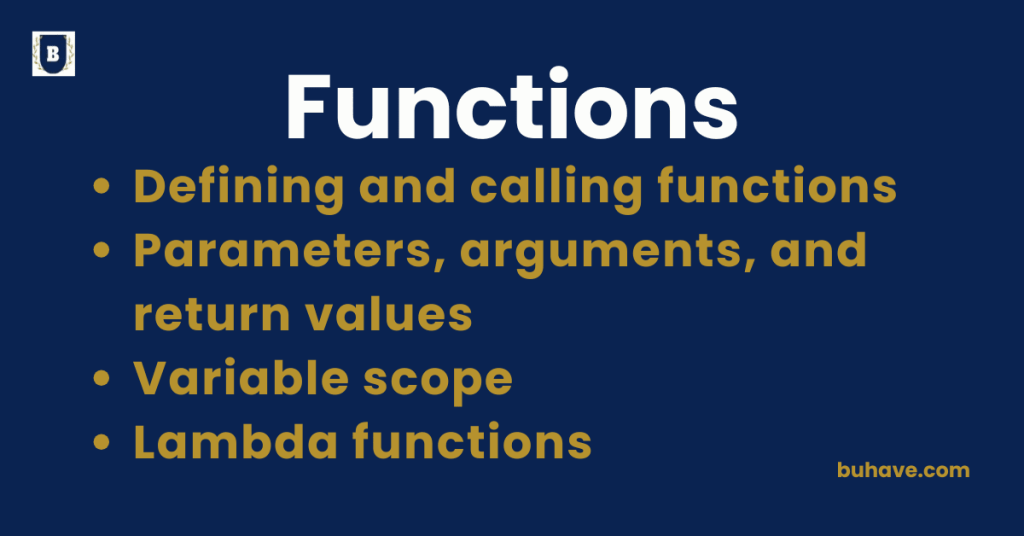
Defining and calling functions
What Are Functions?
A function is a block of reusable code that performs a specific task. You define functions to avoid repeating code, enhance readability, and make your code more modular. In Python tutorials such as Introduction to Python, you’ll see these concepts demonstrated. For a quick refresher on how variables interact with functions, see the Variables, Data Types and Operators lesson.
1. Defining a Function
To define a function, you use the def keyword followed by the function name, parentheses, and a colon (:). The indented code that follows is the body of the function, where the logic happens.
Syntax:
def function_name(parameters):
# function body
# code to be executed
Example 1: A Simple Function
def greet():
print("Hello, welcome!")
- def defines the function.
- greet() is the function name.
- The body contains the print() statement.
This function doesn’t accept any parameters and simply prints a message when called.
For a deeper look at how Python handles scope and functions, you can explore the Functions and Scope lesson.
2. Calling a Function
After defining a function, you can call it by using its name followed by parentheses. This behavior is explored in more depth in the Functions and Scope lesson. For beginners, see the Introduction to Python course for a gentle introduction.
3. Functions with Parameters
Functions can accept parameters — values that are passed into the function when it’s called. For a deeper look at parameters and how they relate to scope, see Functions and Scope.
Syntax:
def function_name(parameter1, parameter2):
# code
Example 3: Function with Parameters
def greet(name):
print(f"Hello, {name}!")
Calling the Function with an Argument
greet("Alice")
Output:
Hello, Alice!
The function greet() accepts a name parameter and prints a personalized greeting.
Parameters and how they map to data types are discussed in more detail in the Variables, Data Types and Operators lesson.
4. Functions with Return Values
Functions can return a value using the return keyword, allowing you to send results back to where the function was called.
Syntax:
def function_name():
return value
Example 4: Function with a Return Value
def add(a, b):
return a + b
Calling the Function and Using the Return Value
result = add(5, 3)
print(result)
Output:
8
The add() function returns the sum of a and b, and the result is stored in the result variable, which is then printed. This pattern of computing and returning results is common in many real-world tasks.
For more practice with parameters, arguments, and return values, explore the Introduction to Python and Functions and Scope resources.
For a quick refresher on how variables interact with functions, see the Variables, Data Types and Operators lesson.
Variable scope
What is Variable Scope?
Variable scope refers to the region of a program where a variable can be accessed. In Python, the scope is influenced by where the variable is declared and where it is used.
Types of Scope in Python
- Local Scope
- Enclosing Scope
- Global Scope
- Built-in Scope
1. Local Scope
A variable has local scope if it is defined inside a function or a block of code. This means it is only accessible within that function or block.
- Local variables are created when the function is called and destroyed when the function finishes execution.
Example of Local Scope:
def my_function():
x = 10 # x is local to my_function
print(x)
my_function() # Output: 10
# print(x) # This would cause an error because x is local to my_function
In the example, x is local to my_function(), and trying to access x outside the function will raise a NameError.
2. Enclosing Scope (Nonlocal)
Enclosing scope refers to the scope of a function within another function. Variables defined in the outer (enclosing) function are accessible to the inner (nested) function.
- These variables are not local to the inner function but can be modified using the nonlocal keyword.
Example of Enclosing Scope:
def outer_function():
x = 20 # x is in the enclosing scope
def inner_function():
print(x) # Can access x from the enclosing function
inner_function()
outer_function() # Output: 20
Here, inner_function() can access x from the outer_function() because x is in an enclosing scope.
3. Global Scope
A variable has global scope if it is defined at the top level of the script or module (outside any function). Global variables can be accessed from any part of the program, including inside functions (but not always modified directly without the global keyword).
- Global variables exist throughout the life of the program.
Example of Global Scope:
x = 50 # x is a global variable
def my_function():
print(x) # Can access global x inside the function
my_function() # Output: 50
print(x) # Output: 50
In this example, x is defined in the global scope and can be accessed inside the function my_function().
Modifying a Global Variable:
To modify a global variable inside a function, use the global keyword:
x = 50 # Global variable
def my_function():
global x
x = 100 # Modifies the global x
my_function()
print(x) # Output: 100
Without the global keyword, trying to assign to x inside the function would create a local variable x instead of modifying the global one.
4. Built-in Scope
Built-in scope refers to the names that are available in Python’s built-in namespace, which includes functions like print(), len(), sum(), and more. These names are available throughout the entire program.
- Built