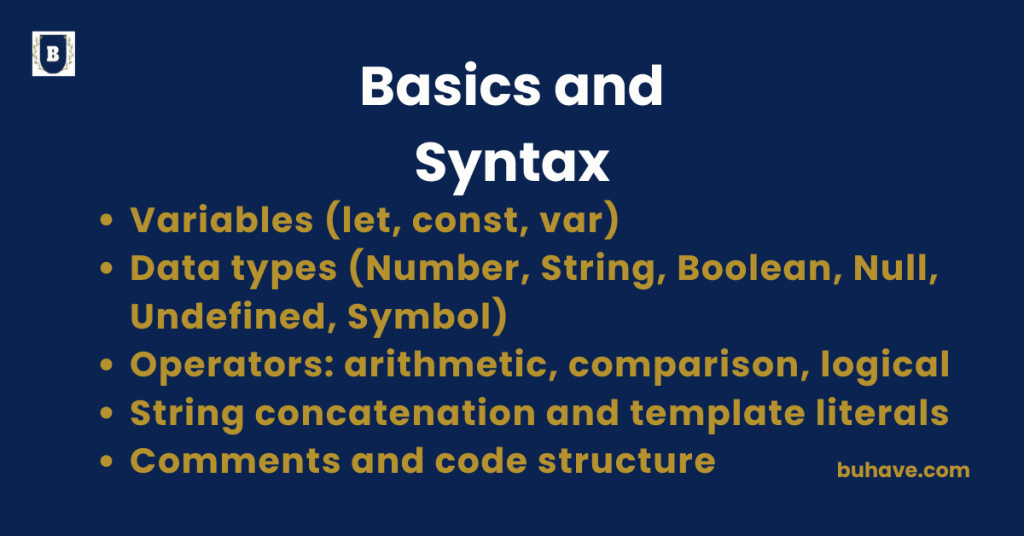
Variables (let, const, var)
1. What Are Variables?
Variables store data values that can be used and manipulated in your code.
let name = “Alice”;
const age = 30;
var city = “Paris”;
2. let – Block-scoped, Reassignable
Introduced in ES6 (2015), let is the go-to for variables that can change. For scope rules and modern variable practices, see the Functions and Scope lesson.
let counter = 1;
counter = 2; // reassigning is allowed
Characteristics:
- Block-scoped (confined to {}).
- Can be updated, but not re-declared in the same scope.
- Does not hoist the same way var does (it has a “temporal dead zone”).
{
let x = 10;
}
// console.log(x); ReferenceError: x is not defined
3. const – Block-scoped, Not Reassignable
Used for constants – values that shouldn’t change.
const pi = 3.14;
// pi = 3.14159 Error: Assignment to constant variable
Characteristics:
- Also block-scoped.
- Must be initialized when declared.
- You can’t reassign, but if the value is an object or array, its contents can be changed.
const person = { name: “Alice” };
person.name = “Bob”; // allowed
For examples of how const interacts with objects, see the Arrays and Objects lesson.
4. var – Function-scoped, Legacy
Old way (pre-ES6) of declaring variables.
var color = “blue”;
color = “red”; //
Characteristics:
- Function-scoped, not block-scoped.
- Can be re-declared and updated.
- Hoisted to the top of its function — initialized as undefined.
console.log(a); // undefined
var a = 5;
5. Comparison Table
| Feature | var | let | const |
|---|---|---|---|
| Scope | Function | Block | Block |
| Hoisting | Yes (initialized to undefined) | Yes (in TDZ) | Yes (in TDZ) |
| Reassignable | yes | yes | no |
| Redeclarable | yes | no | no |
| Use Case | Legacy code | Mutable variables | Immutable bindings |
Best Practices:
- Use let when the value will change.
- Use const by default — only switch to let if needed.
- Avoid var unless working with legacy code.
Data types (Number, String, Boolean, Null, Undefined, Symbol)
1. Primitive Data Types in JavaScript
JavaScript has 7 primitive types (6 main ones + BigInt added in ES2020):
| Type | Description |
|---|---|
| Number | Numeric values (integer or float) |
| String | Text values |
| Boolean | true or false |
| Null | Intentional absence of value |
| Undefined | Declared but not assigned |
| Symbol | Unique and immutable identifier (ES6) |
| BigInt | For very large integers (optional/advanced) |
2. Number
Represents both integers and floating-point numbers.
let age = 30;
let price = 19.99;
Notes:
- All numbers are 64-bit floating point under the hood.
Special values:
- Infinity, -Infinity, NaN (Not a Number)
console.log(1 / 0); // Infinity
console.log(“a” / 2); // NaN
3. String
Represents text data.
let name = “Alice”;
let greeting = ‘Hello’;
let phrase = `Hi, ${name}`;
Notes:
- Can be declared with single, double, or backticks.
- Backticks (`) allow template literals and interpolation.
let result = `2 + 2 = ${2 + 2}`; // “2 + 2 = 4”
4. Boolean
Represents a true/false value.
let isActive = true;
let isLoggedIn = false;
Notes:
- Used in conditionals, logic, and comparisons.
- Falsy values include: false, 0, “”, null, undefined, NaN
5. Null
Represents intentional absence of any value.
let score = null;
Notes:
- Often used to reset or clear a variable.
- typeof null is “object” — a quirk in JavaScript.
6. Undefined
A variable that’s declared but not assigned.
let x;
console.log(x); // undefined
Notes:
- Also returned by functions that don’t explicitly return anything.
- JavaScript uses it to signal “missing” or “uninitialized”.
7. Symbol (ES6+)
Represents a unique, immutable identifier.
let id = Symbol(“userID”);
let id2 = Symbol(“userID”);
console.log(id === id2); // false
Use Case:
- Creating unique property keys in objects to avoid name collisions.
Bonus: BigInt (ES2020+)
For working with very large integers beyond Number.MAX_SAFE_INTEGER.
let big = 1234567890123456789012345678901234567890n;
Type Summary Table:
| Type | Example | typeof result |
|---|---|---|
| Number | 42, 3.14 | “number” |
| String | “hello”, ‘world’ | “string” |
| Boolean | true, false | “boolean” |
| Null | null | “object” (historical quirk) |
| Undefined | undefined | “undefined” |
| Symbol | Symbol(“id”) | “symbol” |
| BigInt | 123n | “bigint” |
Operators: arithmetic, comparison, logical
1. Arithmetic Operators
Used to perform mathematical calculations.
| Operator | Description | Example | Result |
|---|---|---|---|
| + | Addition | 5 + 2 | 7 |
| – | Subtraction | 5 – 2 | 3 |
| * | Multiplication | 5 * 2 | 10 |
| / | Division | 5 / 2 | 2.5 |
| % | Modulus (Remainder) | 5 % 2 | 1 |
| ** | Exponentiation | 5 ** 2 | 25 |
| ++ | Increment | let x = 1; x++ | 2 (x becomes 2) |
| — | Decrement | let x = 2; x– | 1 (x becomes 1) |
Notes:
- ++ and — have prefix and postfix forms.
let a = 5;
console.log(++a); // 6 (prefix: increment, then use)
console.log(a++); // 6 (postfix: use, then increment)
2. Comparison Operators
Used to compare values; result is always true or false.
| Operator | Description | Example | Result |
|---|---|---|---|
| == | Equal to (loose) | 5 == “5” | true |
| === | Equal to (strict) | 5 === “5” | false |
| != | Not equal (loose) | 5 != “5” | false |
| !== | Not equal (strict) | 5 !== “5” | true |
| > | Greater than | 5 > 2 | true |
| < | Less than | 5 < 2 | false |
| >= | Greater than or equal to | 5 >= 5 | true |
| <= | Less than or equal to | 5 <= 4 | false |
Notes:
=== and !== are preferred to avoid type coercion issues.
0 == false // true
0 === false // false
3. Logical Operators
Used for combining boolean expressions.
| Operator | Name | Example | Result |
|---|---|---|---|
| && | AND | true && false | false |
| || | OR | true || false | true |
| ! | NOT | !true | false |
Truth Table for && and ||:
| A | B | A && B (AND) | A || B (OR) |
|---|---|---|---|
| true | true | true | true |
| true | false | false | true |
| false | true | false | true |
| false | false | false | false |
Notes:
Logical operators return the last evaluated value, not just true or false.
let name = “”;
let username = name || “Guest”; // “Guest” because “” is falsy
let isLoggedIn = true;
isLoggedIn && console.log(“Welcome!”); // Logs only if true
Bonus: Combined Example
let age = 20;
if (age >= 18 && age < 65) {
console.log(“Adult”);
} else if (age >= 65) {
console.log(“Senior”);
} else {
console.log(“Minor”);
}
String concatenation and template literals
1. String Concatenation (Using + or +=)
This is the classic way of combining strings.
let firstName = “John”;
let lastName = “Doe”;
let fullName = firstName + ” ” + lastName;
console.log(fullName); // “John Doe”
Concatenating Multiple Strings:
let msg = “Hello, ” + firstName + “! You have ” + 3 + ” new messages.”;
- Numbers are converted to strings automatically.
- Can get messy with many variables or dynamic content.
+= Operator:
Used to append strings or accumulate values progressively.
let s = “Hello”;
s += “ World”;